Shopify Performance: Getting Sub-2s Load Times for Outdoor Brands
Practical techniques to optimize your Shopify store for peak performance in the outdoor industry

- 01 Target sub-2s load times: every 100ms delay costs ~1% in conversion—a 500ms improvement can mean $50K+ for a $10M store
- 02 Unoptimized images are the #1 performance killer—use WebP, responsive sizes, and lazy loading
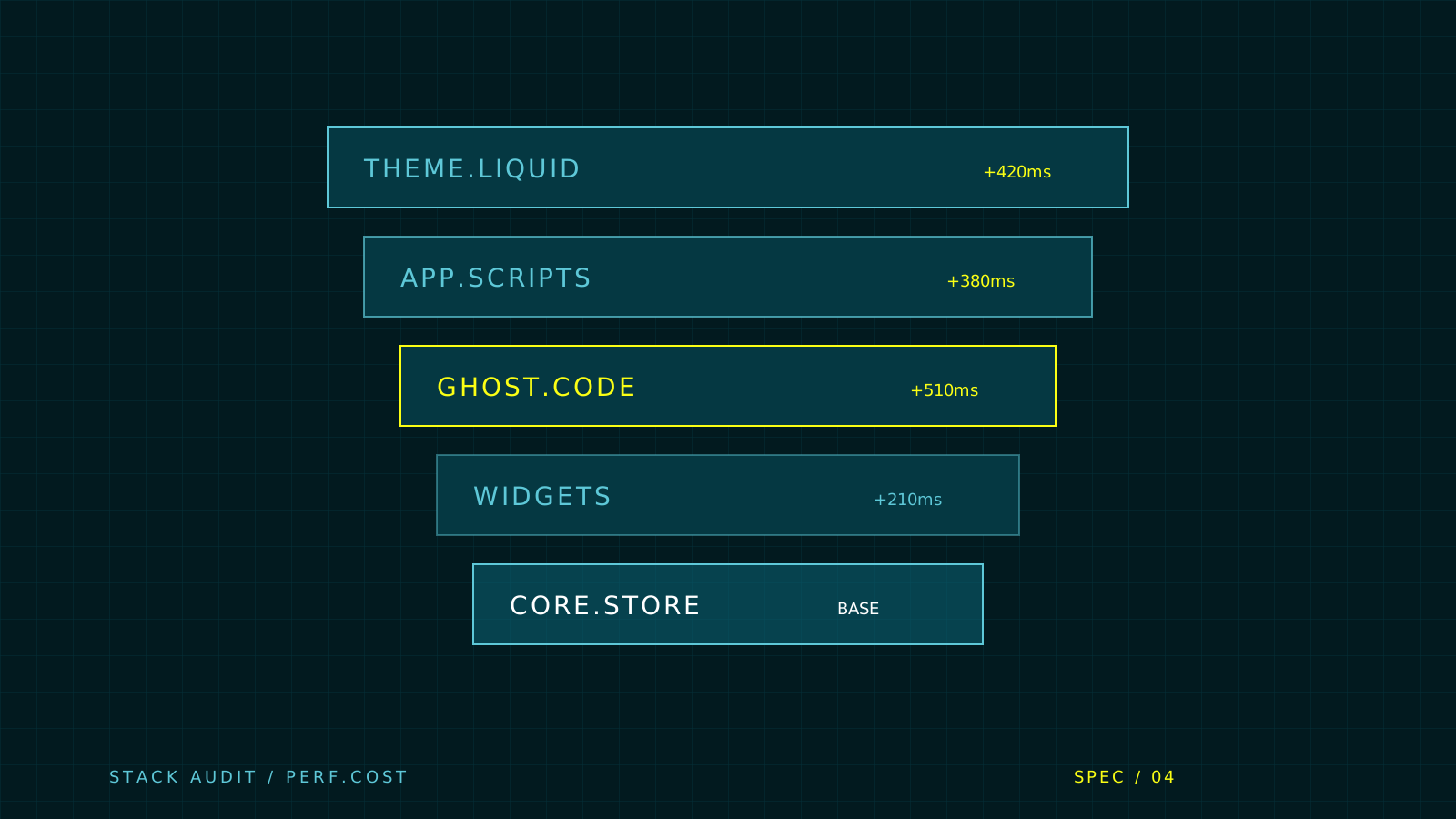
- 03 Each third-party app adds 200-500ms—audit ruthlessly and defer non-critical scripts
- 04 Set up Cloudflare caching to serve 80% of traffic from edge locations, cutting 200-500ms per request
Speed Matters
Your customers are scrolling on chairlifts, checking gear specs from trailheads, and comparing prices from alpine huts. Slow load times don’t just hurt conversion—they cost you sales.
The Reality: Every 100ms of delay = 1% drop in conversion.
For an outdoor brand doing $10M/year, a 500ms improvement can mean $50K+ in additional revenue.
The Baseline: What’s “Good”?
Target metrics for outdoor e-commerce:
- First Contentful Paint (FCP): < 1.8s
- Largest Contentful Paint (LCP): < 2.5s
- Time to Interactive (TTI): < 3.5s
- Cumulative Layout Shift (CLS): < 0.1
Common Bottlenecks in Outdoor Stores
1. Unoptimized Images
The #1 killer. High-res lifestyle photos of mountain vistas are beautiful but devastating for performance.
Problem: A single unoptimized product image can be 2-5MB
Solution:
{% comment %} Bad {% endcomment %}
<img src="{{ product.featured_image | img_url }}" alt="{{ product.title }}">

{% comment %} Good {% endcomment %}
<img
  srcset="
    {{ product.featured_image | img_url: '400x' }} 400w,
    {{ product.featured_image | img_url: '800x' }} 800w,
    {{ product.featured_image | img_url: '1200x' }} 1200w
  "
  sizes="(max-width: 640px) 400px, (max-width: 1024px) 800px, 1200px"
  src="{{ product.featured_image | img_url: '800x' }}"
  loading="lazy"
  alt="{{ product.title }}"
>
Key tactics:
- Use WebP format (90% smaller than JPEG)
- Lazy load below-the-fold images
- Serve responsive sizes based on device
- Compress lifestyle photos to 80-85% quality
2. Third-Party Scripts
Reviews, analytics, chat widgets—each adds 200-500ms.
Problem: Average outdoor store has 15+ third-party scripts
Solution: Audit and defer
{% comment %} Load non-critical scripts after page load {% endcomment %}
<script defer src="https://reviews-widget.com/script.js"></script>

{% comment %} Even better: Load on interaction {% endcomment %}
<script>
  // Only load live chat when user scrolls or moves mouse
  let chatLoaded = false;
  function loadChat() {
    if (!chatLoaded) {
      const script = document.createElement('script');
      script.src = 'https://chat-widget.com/embed.js';
      document.body.appendChild(script);
      chatLoaded = true;
    }
  }

  window.addEventListener('scroll', loadChat, { once: true });
  window.addEventListener('mousemove', loadChat, { once: true });
</script>
3. Inefficient Liquid Code
Loops and metafields can bog down rendering.
Problem: Nested loops in product grids
{% comment %} Bad: O(n²) complexity {% endcomment %}
{% for product in collection.products %}
  {% for variant in product.variants %}
    {% if variant.available %}
      <!-- Show variant -->
    {% endif %}
  {% endfor %}
{% endfor %}Solution: Limit loops and cache results
{% comment %} Good: Limit and check first {% endcomment %}
{% for product in collection.products limit: 12 %}
  {% if product.available %}
    <!-- Show product -->
  {% endif %}
{% endfor %}
4. Render-Blocking CSS
Your hero section shouldn’t wait for your footer styles.
Solution: Critical CSS inlining
<head>
  <!-- Inline critical styles for above-the-fold content -->
  <style>
    /* Only header, hero, and navigation styles */
    .header { /* ... */ }
    .hero { /* ... */ }
  </style>

  <!-- Load full stylesheet asynchronously -->
  <link rel="preload" href="{{ 'theme.css' | asset_url }}" as="style" onload="this.onload=null;this.rel='stylesheet'">
  <noscript><link rel="stylesheet" href="{{ 'theme.css' | asset_url }}"></noscript>
</head>
Advanced Optimizations
Edge Caching with Cloudflare
Set up Cloudflare in front of Shopify:
- Cache static assets for 1 year
- Cache product pages for 5 minutes
- Purge on product updates via webhooks
Result: 80% of traffic served from edge = 200-500ms faster
Preconnect to Critical Domains
<head>
  <link rel="preconnect" href="https://cdn.shopify.com">
  <link rel="preconnect" href="https://fonts.googleapis.com">
  <link rel="dns-prefetch" href="https://www.googletagmanager.com">
</head>
Use Section Rendering API
For dynamic content (cart drawer, quick view):
// Instead of full page reload
fetch('/cart?section_id=cart-drawer')
  .then(res => res.text())
  .then(html => {
    // Update only the cart drawer
    document.querySelector('#cart-drawer').innerHTML = html;
  });
Real-World Results
Client: Alpine Outfitters (anonymized)
Before: 4.2s LCP, 52% mobile conversion
After: 1.8s LCP, 68% mobile conversion
Changes:
- Image optimization → -1.2s
- Script defer → -0.8s
- Critical CSS → -0.4s
- Cloudflare caching → -0.6s (edge)
Impact: 16% conversion lift = $240K additional revenue/year
The Quick Wins (Do These First)
- Enable Shopify CDN (free, automatic)
- Lazy load all images below the fold
- Defer all third-party scripts
- Remove unused apps (each adds overhead)
- Compress images to WebP format
- Limit collection sizes to 12-24 products
- Use system fonts (or subset custom fonts)
Measuring Success
Tools we use:
- PageSpeed Insights: Google’s official tool
- WebPageTest: Detailed waterfall analysis
- Shopify Speed Report: Built-in analytics
- Real User Monitoring: Track actual customer experience
The Ongoing Game
Performance isn’t a one-time fix. Every new app, feature, and image affects speed.
Our approach:
- Monthly performance audits
- Automated testing in CI/CD
- Performance budgets (2.5s LCP maximum)
- Quarterly optimization sprints
Building past templates? Explore E-Commerce Solutions or run a free site audit .
Start a Project →What is a good page load time for a Shopify store?
Target sub-2 second load times for optimal performance. Specifically, aim for First Contentful Paint (FCP) under 1.8s, Largest Contentful Paint (LCP) under 2.5s, Time to Interactive (TTI) under 3.5s, and Cumulative Layout Shift (CLS) under 0.1. Every 100ms of delay equals roughly 1% drop in conversion.
What causes slow Shopify store performance?
The most common causes of slow Shopify performance are unoptimized images (a single image can be 2-5MB), too many third-party scripts (average stores have 15+ scripts adding 200-500ms each), inefficient Liquid code with nested loops, and render-blocking CSS. High-resolution lifestyle photos are particularly problematic for outdoor brands.
How do I optimize images on Shopify?
Use WebP format (90% smaller than JPEG), implement lazy loading for below-the-fold images, serve responsive image sizes based on device using srcset, compress lifestyle photos to 80-85% quality, and use Shopify's img_url filter with size parameters. This alone can reduce page load time by over 1 second.
Should I use Cloudflare with Shopify?
Yes, setting up Cloudflare in front of Shopify can significantly improve performance. Cache static assets for 1 year, cache product pages for 5 minutes, and purge on product updates via webhooks. This results in 80% of traffic served from edge locations, reducing load times by 200-500ms.
How do third-party apps affect Shopify performance?
Each Shopify app typically adds 200-500ms to page load time through additional scripts. Review widgets, analytics, and chat widgets are common culprits. Remove unused apps, defer non-critical scripts, and load interactive elements like chat widgets only on user interaction (scroll or mouse movement) to minimize impact.
Ready to build the site or storefront?
Custom websites, commerce platforms, and the systems behind them.